Saturday, February 26, 2011

Extreme Programming Installed, Chapters 16 - 18

Extreme Programming Installed, Chapters 16 - 18
by Ron Jeffries, Ann Anderson, and Chet Hendrickson

     In Chapter 16 of Extreme Programming Installed, the authors summarize a list of things that you should and should not do in the Extreme Programming methodology. Mainly, they focus on the issue of designing for the project. Design should not be done all at the beginning of the project; design should be done throughout the project. Requirements change, and as you start writing code you start to understand exactly what the customer meant and how you can implement that section. Everyone should be involved in design, and there should be lots of communication throughout the process. Instead of producing giant design documents at the beginning, layout diagrams, or freezing the requirements before coding is even started, design a little bit and update as you go. Usually if you try to do everything at the beginning, it will all change and become obsolete anyway. Don't waste your time if you're just going to throw it away. And always code for "today" only, not for "tomorrow." This means that you follow the customer's priorities exactly and don't try to generalize or expand the program to make it easier to add things later. It turns out that if you design simple and easy-to-understand code then adding things later will be very easy.
     Chapter 17 focuses on the estimation of tasks, and how experience can help you with that estimation. When estimating tasks, you won't always be right at the beginning. Just give your first estimate and go with it. As you continue to program for that task, watch the amount of time that it takes to actually code the solution. Don't include time thinking, or planning, or drawing any diagrams. If you over or underestimate, learn from your mistakes so that you can better estimate tasks in the future. Once you learn to estimate the size of tasks accurately, it is really easy to decide that a new task is equal, half, or double the time of the last task that you completed.
     In Chapter 18, the authors focus on how to track your programming, design, and project progress for the programmer, customer, and manager. In XP, it is important to track a number of different things: scope, which includes the number of stories total, in progress, and completed; quality, which concerns the number of tests that have succeeded on the code over time; and time, concerning the release schedule and iterations that have been completed. And nothing else needs to be tracked. The success of an XP project is measured in Resources, Scope, Quality, and Time. Another thing you need to do is watch your team closely and how they are acting. If they seem nervous, tense, and mad at each other, then there is a problem with something and this will give you a better indication of something going wrong before you will notice it in your tracking metrics.

     I definitely agree with the do's and don'ts that the XP authors put forth. When you do all of your design at the very beginning, you don't really know all that the coding will entail. In my experience, you need to sit down and start writing code. Even if that code doesn't make it into the final product, you have a much better understanding of the steps required to finish the solution. Why write down a possible procedure for the programming and then later realize it's not feasible and you must find another way to do it? All you have done is wasted the time it took to write the requirements document. Instead, try a little bit of coding that will tell you if it's possible or not, and write the documentation once you're sure that you can do it that way. In this way, you still have the documentation to keep you on the right track but you're also sure that they way you wrote down is feasible.

The Design of Future Things, Chapter 6

The Design of Future Things, Chapter 6
by Donald A. Norman

     The sixth chapter of The Design of Future Things is the last chapter in the book that gives design suggestions. The final topic that Norman addresses is the issue of proper feedback. Feedback is essential to inform the user what is happening with a device, if it was successful or not, and what the user should do next. With completely autonomous devices in the future, it is even a bigger mystery to normal consumers as to how a device works or why it's doing what it's doing. Proper feedback can ensure that new user can understand and adapt easily to the new technology. Norman lists six reasons that feedback is important: reassurance, process reports and time estimates, learning, special circumstances, confirmation, and governing expectations.
    An issue with new technology is that the feedback is arbitrary. A red light might turn on on the surface of the device, or it may start emitting a loud beeping sound, but what does that mean? Usually the user can't figure out what these forms of feedback mean without either using the device for a long time or reading the manual. Norman, as he has in earlier chapters, emphasizes that the feedback should come naturally from the mechanics of the device. For example, early cars didn't have power steering and so the driver could feel the road, and adjust accordingly. Whenever power steering was introduced, drivers had problems and didn't feel safe because they couldn't feel the road anymore. So, artificial feedback in the form of rumblings and bumps like driving before power steering is now introduced so the user can have feedback. This is much more effective than if car manufacturers installed special lights or beeping to try to give the same feedback.
    In the end of the chapter, Norman summarizes his design advice for the creation of future systems and machines:

  1. Provide rich, complex and natural signals.
  2. Be predictable.
  3. Provide a good conceptual model.
  4. Make the output understandable.
  5. Provide continual awareness, without annoyance.
  6. Exploit natural mappings to make interaction understandable and effective.
He finishes by explaining that most of the technology that he mentions in the book is far from being realized; the most important thing that must be overcome is the lack of intelligent communication between machines and humans, and the lack of common ground.


     While this chapter (and most the chapters in the book) seems to cover material he already talked about, Norman does a good job summarizing his design rules for feedback and communication between devices. I agree that the beeps and lights on our devices today are pretty arbitrary and wouldn't make sense to a new user. But, not everything that we use has a way of natural feedback. For example, the microwave makes a little bit of noise whenever it's cooking, but with the TV on sitting on the couch, I wouldn't hear the over turn off without the signature beep. I don't think the issue is that all feedback should be natural and exactly related to the operation it is happening, but instead that we need to give users more education and get them used to the feedback that we will be giving them. It isn't arbitrary if you have learned to associate a light or sound with a particular state that the device is in. And a national or world standard on colors and sounds with appliances would help because the user would only have to learn to paradigm once and it would apply to all of their devices.

Monday, February 21, 2011

The Design of Future Things, Chapter 5

The Design of Future Things, Chapter 5
by Donald A. Norman

     The fifth chapter of The Design of Future Things focuses on the nature of automation and what the future of design is in regards to automation. The problem with pure automation, according to Norman, is that machines try to guess human intention and emotion, often failing. Automation works when the task is clearly defined, and doesn't have a lot of variation. For example, a "smart home" that controls the temperature and lighting in the house based on feedback from a human user is successful automation, as are the automated transit cars that transport people between terminals in an airport. But, as Norman gives an example, automation does not work when the task has a lot of variation and unpredictability. In an automatic baggage sorting system at the airport, all the baggage are of different sizes and weights, and the tags are in different locations. An automated system doesn't work in a situation like this, and human input is instead needed.
     Norman calls for "augmentation" instead of automation. With augmentation, intelligent systems provide help and suggestions in order to help us with difficult tasks, or make boring tasks easier and faster. These systems are not intrusive because the human always has a choice whether to use the augmentation help or not. Machines must be added that support human activities instead of doing the activities for us, and helps us finish things easier and faster. We should be glad that we used the system, whether an automated or augmentation system, instead of it stressing us out. Future designers should look to automate things that are hard for humans to do, are dirty or dangerous, and should look to augment things that humans regularly do and that are everyday activities, like personal hygiene, entertainment, and controlling the environment of their home.


     I thought that this chapter was one of the most sensible chapters that Norman has written so far. In it, he talks about how machines need to complete users and not try to do everything for them. In previous chapters he seemed to talk only about cars that drove themselves, and angry and stubborn intelligent devices that did what they thought was best instead of listening to their user. I believe, like Norman, that the future of technology is assisted-devices that help us do things easier for ourselves. So, instead of doing the task for us, it allows us to do the task safely and more efficiently. In this way, humans always have a say on whether the task should be done or not, we have more control over the outcome and the procedure, and we can stop at anytime, always overriding the machine.

Extreme Programming Installed, Chapters 13 - 15

Extreme Programming Installed, Chapters 13 - 15
by Ron Jeffries, Ann Anderson, and Chet Hendrickson

     Chapters 13 - 15 of Extreme Programming Installed focus on testing and releasing your code. The most important point of Extreme Programming is that testing is done first, along the way, and 100%. This means that before you even write any code, you first write a test for that object or class. For example, if you're testing a class that will compute the sum of a list of numbers, you can first test what happens with an empty list. The test will fail, so write the code that makes the test pass. After that test passes, you might test what it outputs with a single number in the list. Again the test will fail, and you should write the code that will compensate for that test. The point is that we test first, and bit by bit as we are writing the code. And every time we add code we make sure that 100% of the unit tests pass before we are allowed to release the code.
     When we are writing code and testing, we also make sure to code "by intention." This means that we write the code based on what we need to do, not exactly how we're going to do it. For example, if we need to compute the roots of a quadratic equation, there are a couple steps. First, we need to compute the discriminant, then take the square root of that (if it's not negative), and then compute -(b) +/- discriminant over 2*a*c. When coding by intention, we will first make function stubs for each of the steps (compute discriminant, etc). Then, in main, we will use each of those functions to calculate the roots. After running the tests for the whole system, they will all fail. Then we will worry about exactly how we compute the discriminant and all of the details. The main point is that first we programmed our intentions.
    The last chapter in this section dealt with code releasing and version control. The most important point is that Extreme Programmers release often, usually more than once a day. They don't wait for other people to finish the work that their code may depend on, and don't even really check to see if someone else is editing the file at the same time (at least past what the versioning software will do). In practice, you will spend more time trying to avoid conflicts instead of just working and addressing conflicts if they do show up. The versioning software that you use should make committing releases easy and quick; if programmers are releasing their code less often because of the versioning software, you need to change the software and make it easier for the user.


     I think that test-first development is a great idea. Writing all your tests first helps you understand exactly what you need to accomplish in your code and helps keep you on track. But, in my experience, it is horribly boring and annoying to do. As a programmer, you want to start working on the real code, on the code that makes the product work and what customers will directly interact with. But instead you're writing a test for a class that you haven't even written yet. Is that test going to fail? Well, duh. It's hard for me to see the value in writing a test before you have even written any code. Maybe just writing it, but running the tests? It doesn't take a genius to know that they're going to fail. I think it would be much better to write some of the code and then start testing on the way. That way you're not wasting your time writing tests that you know are going to fail but instead you're writing tests to help you find problems with code you are currently working on.


Sunday, February 13, 2011

Extreme Programming Installed, Chapters 10 - 12

Extreme Programming Installed, Chapters 10 - 12
by Ron Jeffries, Ann Anderson, and Chet Hendrickson

      Chapters 10 - 12 of Extreme Programming Installed make the transition from design and planning to the actual task of programming for the user stories. The first step is to have a quick design session, designed to eliminate the fear that you may not know what to do. This design session shouldn't last more than 30 minutes, and usually consists of drawing a few UML designs, or talking about different implementation possibilites. But, usually the best thing is to get started programming right away; it's hard to know exactly how anything will work or how you will build the system until you sit down and start programming.
     A key aspect of XP programming is that the code is owned by everyone in the programming team. Even if you created a class, anyone else can make changes to it. In this way, if a class you're using isn't exactly written the way you need it, you can change it yourself, instead of having to go through the creator. The way that this system works without a lot of conflicts is that the programmers release their code often, sometimes up to three times a day, and each time they make a change they run unit tests. These unit tests must always pass 100%, and the programmer must fix all the errors and make all tests pass before they release. In this way, conflicts between programmers changing the same file can be found and addressed quickly. Another aspect of XP programming is that we program exactly for the specifications, and as simply as possible. We implement the minimum number of methods, in the simplest way possible, commenting the code and naming functions and variables to make it easy for anyone to understand the code. In this way, it makes it much easier to come back and add new methods or edit the way a function returns data. This also means that the programming team must have a coding style standard for indentation, naming, capitalization, etc to make the code easier to read.
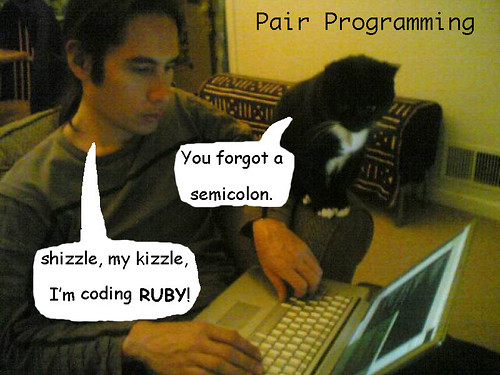
      The biggest change from traditional software development in XP programming is "pair programming." In pair programming, all code is written by a pair of programmers working at the same computer. When two programmers are working together, they end up producing more code, don't get tired as faster, and two people understand the code rather than just one person. There are two roles in this paradigm: driver, and partner. The driver is the one typing the code on the computer, and has most of the general algorithm in their mind. They are responsible for keeping the partner engaged, explaining the code as he goes. The partner is responsible for watching the code for typographical errors, making sure the driver is following the algorithm correctly, and making the driver clarify and fix things that are hard to understand. Driver and partner should switch roles often so they don't get bored or stale. Using pair programming, the programmers work much more efficiently, get a lot more work done, and stay engaged easier.

     The idea of collective code ownership seems like an extremely good idea to me. When you know that you can always fix all the problems that are in the way of your code development and make other pieces of code work for you, you can finish your code much faster. The only problem is minimizing conflict between intentions and other programmers' code. While they say that you can manage this by testing and releasing all the time, it still seems like two programmers could change the same thing back and forth without agreeing on a solution they can both use. Pair programming also sounds awesome; I know that when I'm working on code I have problems staying engaged and always working. With another person there, they could fix my mistakes much earlier and keep me on track.

Saturday, February 12, 2011

The Design of Future Things, Chapter 4

The Design of Future Things, Chapter 4
by Donald A. Norman

     The fourth chapter of The Design of Future Things is about machines making decisions and taking control back from their human users. Newer technologies have more and more "automation" options, that take the difficult or boring tasks away from the human user and are completed by the machine. Norman argues that technology is mostly under human control - while things are automated to make life easier, the human user always has control over the operations, including stopping, starting, and making changes to the task the machine is doing. But in today's world, automation has taken over tasks that previously required human input, which can be a dangerous thing. Intelligent devices are useful and effective when they have well specified tasks, or in a setting where the people that control and use the devices are specialized and educated. But when these intelligent devices are used in the home or the car, and with average citizens, it can be dangerous. The average human doesn't know how their car works, or how it might make decisions about how far to be away from the car in front of it. Because of this, when the automation fails, the user may not notice or know what to do without the machine's help, causing an accident.
     Norman argues that automation of our future machines must be all or nothing; either the task is completely manual, or it is fully automated and reliable. Even though partial automation has reduced accidents and made our lives easier, the transition from automation to manual control causes more dangerous accidents than before. When a system is usually automated, the user will not be paying as close attention, and will not have good situation awareness. Then, when there's a problem, they're distracted and can't react quick enough. Norman believes that full automation is coming, but the road from manual to fully automated systems will be hard traveling.

     In a way, I agree with Norman's view of automated systems - when you get used to how something is just "done" for you by the machine, you aren't watching for errors or accidents that could occur. When I'm cooking something in the microwave, I don't watch to make sure that it is cooking correctly, and have my hand on the power cord ready to unplug it if there's a fire. Instead, I trust the automated cooking, and I might walk away for a few minutes. Then, if something catches on fire, I won't be in the room, and it could cause my whole house to burn down. But because we trust the automation so much, the average user isn't going to sit and watch the machine the whole time. Although I think full automation is scary (trusting a car completely to drive you somewhere), it isn't implausible. I just think that the best users for those kind of machines are those that are born and grow up with them. It will be hard for current drivers to trust a new machine, but those users that grew up using them will be the most comfortable with the new technology, which applies to really any kind of new technology.

Tuesday, February 8, 2011

The Design of Future Things, Chapter 3

The Design of Future Things, Chapter 3
by Donald A. Norman

     In this chapter, Norman talks about "Natural Interaction" and how our machines should interact with us in a way that is natural to their operation. For example, a kettle of boiling water can be heard audibly as it gets hotter, and as the steam slowly makes it's way out. Then, whenever the water is boiling, the air is forced through a small hole producing a whistling sound; this makes sense to the user because boiling water releases steam. But, when you're using a microwave or the dishwasher, a loud beeping noise isn't a communication in a natural way. This arbitrary beep isn't really related to the natural act of heating up food, and unless you have experience with the different tones of the machines, you wouldn't know which appliance had beeped. Another concept Norman addresses is "affordances," and this concept goes hand-in-hand with natural interaction. An affordance is a way that we can interact with an object in this world, and an object "affords" an interaction because it makes sense to us in some subconscious way. For example, a doorknob "affords" turning, and a button "affords" pushing; in this way, we know exactly how to physically interact with the machine / object even if we haven't seen it before. Norman suggests that future machines should not only have natural ways to interact and communicate with us but should also have natural affordances so they make sense to use. In this way, machines can give us information by interacting with us physically; if we're going too fast, the steering wheel in a car can push back at us or tighten the seat belts.
    Towards the end of the chapter, Norman talks about the perceptions that humans and machines have of each other. With the new suggestive systems that are always trying to guess what we're thinking or predict our actions, the machine's actions now become predictable. If we assume that they're going to act in a way that reflects our interests, we could be wrong whenever the machine has predicted incorrectly. And this could be dangerous to humans. Norman says that machines should be predicable, because humans will never always act predictable. Instead of trying to guess what we want and doing that, the machine should follow a set course and always let us know what is happening through a "playbook." This playbook should explain how the machine is working, and why it made the decisions that it made. It could be presented as a video showing the steps of a process while it's happening, or through natural interactions and sounds coming from the operation of the machine.


     For once, I actually kinda agree with Norman on the first part of this chapter. The beeps that come from our machines are arbitrary and don't make sense with the operation that is happening. But, when I can hear the water moving and washing the dishes in the dishwasher or clothes in the washer, I know what is happening and how it's working, and that's how I judge when the operation will be done. I don't agree with his idea of a car that has physical feedback. Maybe in the older days when that kind of feedback was normal in society, but today, the people have already gotten used to the interactions of technology. We shouldn't reinvent the computer to be more natural, because that would be confusing for those who grew up using the new keyboard and mouse design. And this applies to many different technologies - even though the interaction might not be natural or the sounds aren't natural, this doesn't mean we need to make it that way, especially if most of the population already is used to using the product in the new interaction paradigm. The only time that natural interaction should be used in a new system is if the product is completely new, and no one in the population has ever used it before. For example, if jet packs became traditionally used, and I was using one for the first time, I wouldn't want it to beep at me arbitrarily. Does that mean that I'm about to fall out of the sky, or just that I'm doing a good job piloting? I want it to explain to me in some natural way if there's danger. But as I said, this only applies to completely new technologies where there already isn't a learned interaction paradigm. With existing systems, you're just going to confuse people and make them mad if you change the way they interact with their machines.

Extreme Programming Installed, Chapters 7 - 9

Extreme Programming Installed, Chapters 7 - 9
by Ron Jeffries, Ann Anderson, and Chet Hendrickson

     In Chapters 7 - 9 of Extreme Programming Installed, the authors address the issue of release planning and the way that user stories are estimated and scheduled in the Extreme Programming paradigm. Small and frequent releases are important because not only do they allow the customer to have a working product sooner, but they also allow for customer feedback throughout the development process. Each release shouldn't be just a demo of what the product could possibly do in the future, but instead should be a real product that the customer can start using on a regular basis. The authors also give examples of large-scale projects that can't seem to be broken down into small releases, and show ways that incremental pieces can be delivered. For example, if you are tasked to build a "Distributed Manufacturing Control System" consisting of microcomputers that talk through a distributed network and control each machine of a factory, it would seem that you need the whole system working before it could be released. But, you could program for and create the microcomputer for a single machine, and allow it to communicate mechanically with the existing legacy system. Then, you could incrementally add functionality to each machine in the factory, making the system more efficient along the way to the final system.
     When planning releases, it is important that the Customer as defined in the first few chapters is in charge of planning the user stories that will be completed in a release. As before, the Customer presents user stories to the Programmers, who each look at the stories, ask for clarification, and estimate the time it will take to finish it in points. Then, based on the number of points that the team can finish in a week together, the Customer can pick the most important user stories that can be completed by the release date. After this, the Programmers can each sign up for the user stories, making sure they don't pick too many and overshoot their capacity. An important note is that each Programmer should sign up for a user story alone, or with a partner, and not split up tasks between different Programmers. This isn't to say that another Programmer isn't allowed to help you if you're stuck; this is so that tasks in a user story aren't forgotten and the story never finished.

     After working at a major company this summer, I learned a lot about Extreme Programming because we used the system (or a variation of SCRUM, really) at the company. While we didn't have actual note cards for user stories, we had an online system that allowed us to add user stories, define tasks for those stories, and then assign a point estimate to them. Like in these three chapters, we would have release or iteration planning meetings where we would introduce each user story, and we would all vote on the number of points we thought it would take. When we had a consensus, that was recorded, and a programmer signed up for the task. From experience, this system works EXTREMELY well. We never once had a problem with estimating incorrectly how long it would take to finish a task, and so whenever we got to the end of the iteration / release, there were only a few features that didn't make it in. And because we were working on incremental releases to a new product, most of the things that didn't make it were minor bug fixes concerning strings or something. Also, having a "Customer" in charge of choosing the most important user stories for an iteration is extremely useful in giving the programmers direction.